USB Monitor support
Wireshark
The wireshark software USB capture can capture URBs (USB Request Blocks) rather than raw USB packets when device connect to host directly. To capture raw USB packets, a sniffer is needed.
Linux
Install Wireshark:
sudo apt update
sudo apt install wireshark
(Optional) Configure Wireshark
Wireshark official documentation: https://wiki.wireshark.org/CaptureSetup/USB
Load the usbmon kernel module and run Wireshark:
sudo modprobe usbmon
sudo wireshark
Find bus the device connects:
 adb devices -l
List of devices attached
1234                   device usb:1-9.4 product:adb dev model:adb_board device:NuttX device transport_id:1000

 dmesg
[3713722.861582] usb 1-9.4: New USB device found, idVendor=18d1, idProduct=4e11, bcdDevice= 1.01

 lsusb
Bus 001 Device 035: ID 18d1:4e11 Google Inc. Nexus One
Filter address
- Select usbmon (Bus 001): usbmon1
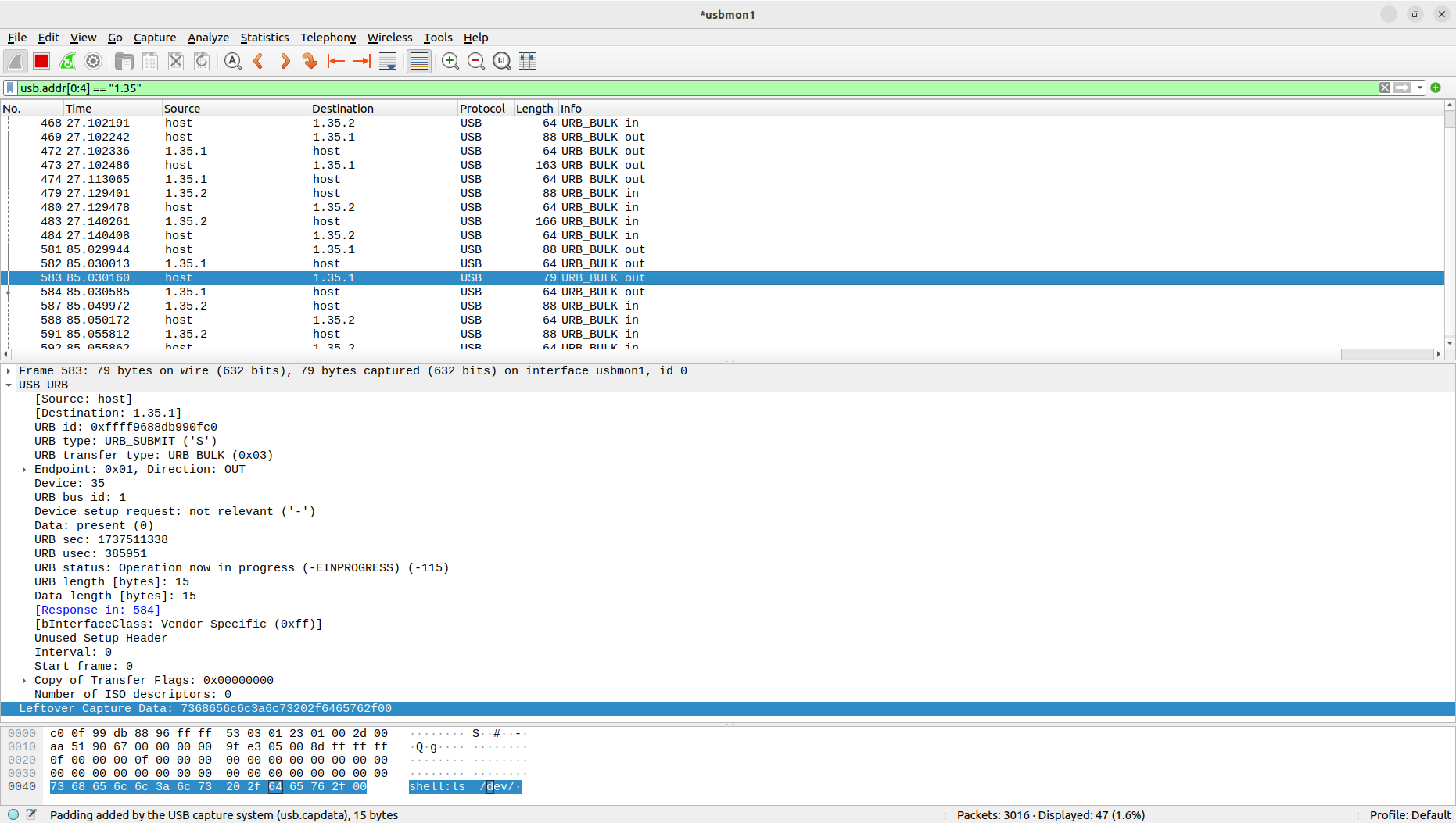
- Wireshark filter (Bus 001 Device 035): usb.addr[0:4] == "1.35"
- Example
Capturing ADB packets with filter (usb.addr[0:4] == "1.35"), on board ESP32S3-DevKit:ADB:
adb -s 1234 shell ls /dev/The example PcapNg(Packet CAPture Next Generation) file can be downloaded from
here <./usbmonitor_wireshark_linux_example_adb.pcapng>{.interpreted-text role="download"}.