
SIM
It is possible to run NuttX in a simulator called sim, but some features currently are supported only on Linux host (i.e.: Bluetooth, I2C, SPI, etc).
Using sim you can test many of NuttX features without a supported board. Examples of supported features: Audio, Bluetooth, ELF, I2C, SPI, LVGL, Flash File System, NX Serves, NX Demos, NX Window Manager, ROMFS, Network: TCP, UDP, IP,6LoWPAN, and many more.
Toolchain
All you need is your machine gcc working.
Compiling
All you need to do is select your desired board profile configuration (see: nuttx/sim/sim/sim/configs for the listing) :
 make distclean

 ./tools/configure.sh sim:nsh

 make
Running
When the compilation finishes it will create a nuttx binary, then run it:
 ./nuttx
login: admin
password: Administrator
User Logged-in!

NuttShell (NSH) NuttX-10.1.0
MOTD: username=admin password=Administrator
nsh> ?
help usage:  help [-v] [<cmd>]

  .         cd        echo      hexdump   mkfatfs   pwd       source    unset
  [         cp        exec      kill      mkrd      readlink  test      usleep
  ?         cmp       exit      losetup   mount     rm        time      xd
  basename  dirname   false     ln        mv        rmdir     true
  break     dd        free      ls        poweroff  set       uname
  cat       df        help      mkdir     ps        sleep     umount

Builtin Apps:
  sh     hello  nsh
nsh> uname -a
NuttX 10.1.0 508215581f Sep  3 2021 10:47:34 sim sim
nsh>
Running LVGL
It is possible to run the LVGL Demo directly in the NuttX simulator :
 make distclean

 ./tools/configure.sh sim:lvgl_fb

 make -j

 ./nuttx
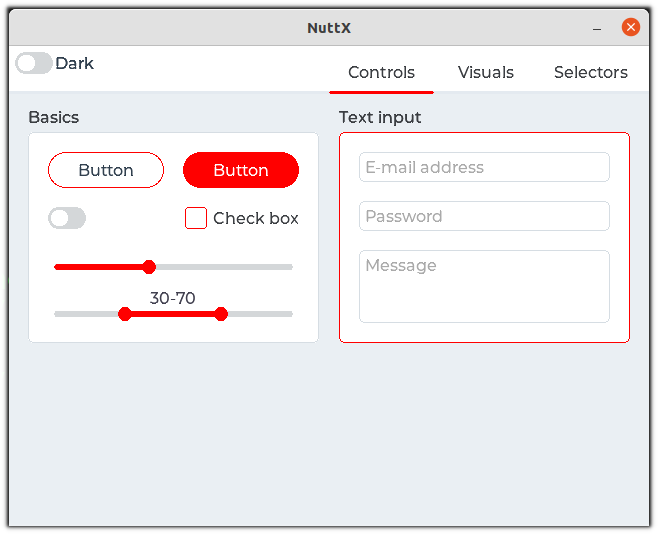
You should see a window with the touch calibration and then the LVGL demo:
Running VNC Server
NuttX supports a VNC server, so it means even boards without a LCD display could export a display interface over network. Also you can test it on NuttX simulator before getting it working on your board, just follow these steps :
 make distclean

 ./tools/configure.sh sim:vncserver

 make -j

 ./nuttx
Open a new terminal and execute :
remmina -c vnc://localhost
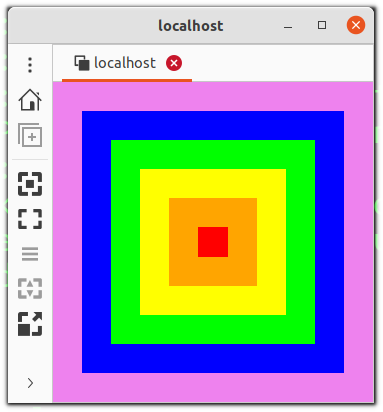
You should see some squares in different colors displayed in remmina:
 {.align-center width="100.0%"}
Running Simulated CAN
The simulator supports CAN support via SocketCAN on the host. The CAN interface of the host must be properly configured:
ip link set can0 type can bitrate 1000000
ip link set can0 up
Virtual CAN interface can be used as well:
ip link add dev can0 type vcan
ifconfig can0 up
Supported Boards
boards//